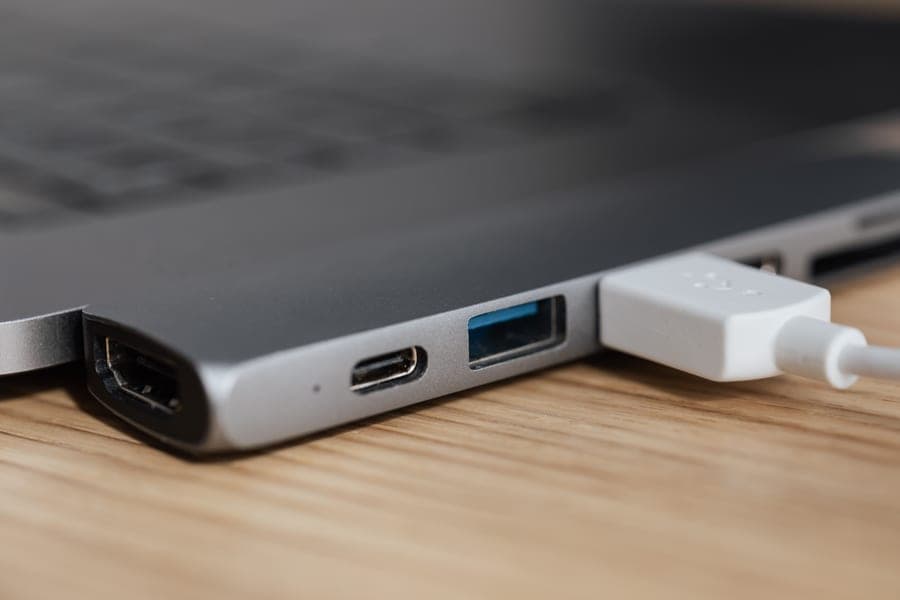
Four different things are called an airplane headphone adapter. You need a two-prong adapter for older aircraft with twin sockets; a USB-C or Lightning to 3.5 mm adapter if your phone has no headphone socket and you want to use wired earbuds; a Bluetooth transmitter if your headphones are wireless and have no socket; and a plain 3.5 mm cable if your over-ear headphone has a socket but no cable in the box. Most travelers need the first and one of the others.
Identify yours
Which adapter do you actually need?
Work down this list and stop at the first one that describes you.
| If your headphones are | You need | Why |
|---|---|---|
| Wireless earbuds (any noise-canceling model) | A Bluetooth transmitter | No mainstream noise-canceling earbud has a 3.5 mm socket. There is no cable option. |
| Wireless over-ears with no cable in the box | A 3.5 mm cable, or a transmitter | The socket is there; the cable is not. Either works. |
| Wireless over-ears with a cable included | Nothing, on a modern seat | The Bose, Sennheiser, Soundcore and JBL all ship one. |
| Wired earbuds and a phone with no socket | A USB-C or Lightning to 3.5 mm adapter | For the phone side, not the plane side. |
| Anything, on an older aircraft | Plus a two-prong adapter | Twin-socket seats will not take a single plug properly. |
The old one
The two-prong adapter, and why it still matters
Some aircraft use a twin-socket arrangement dating from when airlines supplied pneumatic or dual-pin headsets. A standard 3.5 mm plug will physically enter one of the holes and either give you audio in one ear or nothing at all, which is confusing the first time it happens.
The adapter is a small plastic part with two prongs on one side and a 3.5 mm socket on the other. It costs very little and weighs almost nothing.
This is the cheapest fix in the entire category, and it is the one people discover they needed at 35,000 feet. Buy it now and put it in the case.
Which flights? Disproportionately older airframes, which fly disproportionately on regional and secondary routes. So the leg that catches you out is usually not the long-haul with the good entertainment system, it is the ninety-minute connection at the end. See best noise-canceling headphones for international flights for why international itineraries are where this bites most.
The modern one
USB-C and Lightning adapters: a phone problem, not a plane problem
A recovered search query worth addressing directly: “airplane headphone adapter usb c”. The confusion is understandable and the answer is that these are two different problems.
Aircraft seats output 3.5 mm analogue audio. They do not have USB-C audio outputs. A USB-C to 3.5 mm adapter is for the other end of the chain — connecting wired earbuds to a modern phone or tablet that has no headphone socket. Useful on a plane if you are watching your own downloads on your own device with wired earbuds. Useless for the seatback screen.
The exception is the Apple AirPods Max, which has no 3.5 mm socket of its own. To connect it to a seatback screen you need a USB-C to 3.5 mm adapter on the headphone side plus a 3.5 mm cable — two items, neither supplied. Our AirPods Max review covers that in full.
The splitter
Double headphone jack adapters
Another real query: “airplane double headphone jack adapter”. This is a splitter, for two people sharing one screen, and it works — but poorly. One socket, one volume control, and you are both tied to it by cable.
A transmitter with dual pairing is much better for the same job: two sets of headphones, each at its own volume, each with its own noise canceling, no cables across two laps. If sharing a screen is a regular part of how you fly, that is the purchase worth making instead.
Practical
Where these live
- In the headphone case, permanently. Not in a drawer at home, not in a different bag. The entire problem with adapters is remembering them, and the solution is never taking them out.
- Buy two two-prong adapters. They cost very little and they are small enough to lose. One in the headphone case, one in the bag you always carry.
- Charge the transmitter with the headphones. Same cable, same moment. A 25+ hour rating means once per trip is enough.
- Do not buy an adapter you have not identified a need for. Work through the table above rather than buying a kit of connectors you will never use.
In short
Key takeaways
- Four different things are called an airplane headphone adapter. Identify which one you need before buying.
- A two-prong adapter is for older twin-socket seats. It costs almost nothing and belongs in your case permanently.
- USB-C to 3.5 mm adapters solve a phone problem, not a plane problem — seats output analogue 3.5 mm audio.
- If your headphones are wireless earbuds, no cable route exists. A Bluetooth transmitter is the mechanism.
- A dual-pairing transmitter beats a splitter for two people: separate volumes, separate canceling, no cables.
- The Bose, Sennheiser, Soundcore and JBL all include a cable. The Sony and Apple do not.
At a glance
Quick picks
Scores are our editorial judgment from published specifications and cited third-party measurements, not our own testing. The rubric is published in full. Tap any row for the full write-up.
| # | Product | Best for | Score | Price |
|---|---|---|---|---|
| 1 | 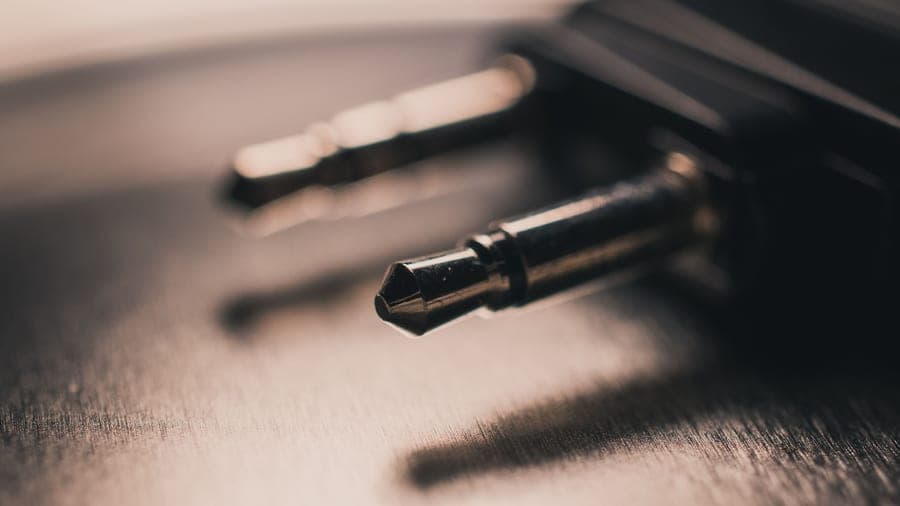 Twelve South AirFly Pro 2The single accessory that makes any wireless headphone work with a seatback screen: plug it into the airline jack and it sends the audio to your headphones over Bluetooth. | Best adapter for wireless headphones | 9.09.0 out of 10, our editorial score | |
| 2 |  JBL Tour One M3The only headphone here that ships with the answer to the airline-jack problem in the box: the Smart Tx transmitter plugs into the seat and sends the movie to your headphones over Bluetooth. | Best if you are buying headphones anyway | 8.78.7 out of 10, our editorial score | |
| 3 | 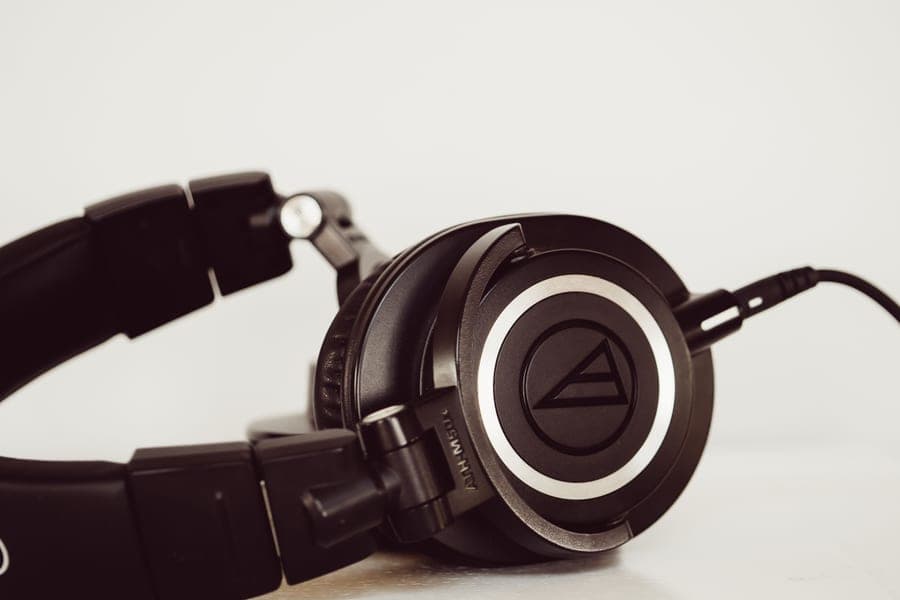 Bose QuietComfort Ultra Headphones (2nd Gen)The quietest cabin of anything here, and the only over-ear in this group whose box already contains the audio cable a seatback screen needs. | Best headphone that needs no extra adapter | 9.09.0 out of 10, our editorial score |
#ad Amazon links are affiliate links. No live price is shown anywhere on this site, so every button reads “Check price on Amazon”. How this is funded.
The picks in full
Every pick, in detail
1. Best adapter for wireless headphones
Twelve South AirFly Pro 2
The single accessory that makes any wireless headphone work with a seatback screen: plug it into the airline jack and it sends the audio to your headphones over Bluetooth.
Our editorial score: 9.0 / 10
#ad Live price not shown. How this is funded
Also sold direct by Twelve South — we earn nothing there, so check both.
If your headphones are wireless — and particularly if they are earbuds with no socket at all — this is the adapter you need, even though it is a transmitter rather than a plug. It converts the seat’s 3.5 mm output into a Bluetooth source.
25+ rated hours is the specification that matters and the one cheap alternatives get wrong: a six-hour transmitter dies during the second film. Two-headphone pairing means two people can share one screen with their own volume, and receiver mode makes it useful in a rental car with an aux input.
One caveat that keeps this page honest: it has a single 3.5 mm plug. On an older twin-socket seat you will still want a two-prong adapter alongside it.
What works on a plane
- 25+ rated hours outlasts any single flight you will ever take
- Pairs two sets of headphones, so two people can watch one screen
- Receiver mode makes it useful in a rental car with only an aux input
- Works with any Bluetooth headphone, so it outlives whatever you own now
What does not
- One more small object to charge and not lose
- Adds a small amount of latency, which shows on lip sync for some people
- A single 3.5 mm plug, so older twin-socket seats still want a two-prong adapter
How it scores against the five travel axes
Published specifications
| Spec | Figure | Source |
|---|---|---|
| Battery | 25+ hours | Twelve South |
| Full charge | About 2 hours via USB-C | Twelve South |
| Bluetooth | 5.3, aptX HD Adaptive | Twelve South |
| Modes | Transmitter and receiver | Twelve South |
| Pairing | Two sets of headphones at once | Twelve South |
| Connection | 3.5 mm AUX | Twelve South |
2. Best if you are buying headphones anyway
JBL Tour One M3
The only headphone here that ships with the answer to the airline-jack problem in the box: the Smart Tx transmitter plugs into the seat and sends the movie to your headphones over Bluetooth.
Our editorial score: 8.7 / 10
#ad Live price not shown. How this is funded
Also sold direct by JBL — we earn nothing there, so check both.
The alternative to buying adapters at all. The JBL ships the Smart Tx transmitter, a USB-C-to-3.5 mm cable, a USB-C-to-USB-C cable and a USB-C-to-USB-A adapter — which is most of this page, in one box.
If you are replacing your headphones and the seatback screen matters, do the arithmetic before buying a cheaper headphone plus separate accessories. It frequently comes out in the JBL’s favor, and it is one object rather than four.
What works on a plane
- The Smart Tx transmitter solves in-flight entertainment without a separate purchase
- Up to 40 rated hours with canceling on, comfortably over a long-haul plus layover
- Five minutes of charge buys five hours
- Both a 3.5 mm and a USB-C wired path in the box
What does not
- The Smart Tx is one more small object to lose, and it needs its own charge
- 278 g sits between the Sony and the Sennheiser without beating either at their own game
- Noise canceling is very good rather than class-leading
How it scores against the five travel axes
Published specifications
| Spec | Figure | Source |
|---|---|---|
| Battery, Bluetooth | Up to 70 hours | JBL |
| Battery, ANC on | Up to 40 hours | JBL |
| Quick charge | 5 minutes gives 5 hours | JBL |
| Battery cell | 850 mAh, full charge approx. 2 hours | JBL |
| Weight | 278 g | JBL |
| Smart Tx | Transmitter streams from non-Bluetooth sources including in-flight entertainment | JBL |
| In the box | USB-C-to-3.5 mm and USB-C-to-USB-C cables, USB-C to USB-A adapter | JBL |
3. Best headphone that needs no extra adapter
Bose QuietComfort Ultra Headphones (2nd Gen)
The quietest cabin of anything here, and the only over-ear in this group whose box already contains the audio cable a seatback screen needs.
Our editorial score: 9.0 / 10
#ad Live price not shown. How this is funded
Also sold direct by Bose — we earn nothing there, so check both.
Included here for a specific reason: the Bose is the only top-tier-canceling headphone that ships the cable already, so on a modern single-socket seat you need nothing at all.
The cable is 2.5 mm on the headphone side and 3.5 mm at the seat, and it lives in a pocket in the case lid. Losing it is the failure mode to avoid, because 2.5 mm is an uncommon connector and a generic aux lead will not substitute.
On an older twin-socket seat you still want a two-prong adapter. Nothing exempts you from that one.
What works on a plane
- The best low-frequency canceling in this group, which is exactly the band engine drone lives in
- The 2.5 mm-to-3.5 mm cable is in the box, so a seatback screen needs nothing extra
- Compact hard case for a full-size over-ear
- Up to 45 hours with canceling off, if you only want isolation on a train
What does not
- Immersive Audio costs you a third of the battery, dropping to 23 rated hours
- Heavier than the Sony by roughly 10 g, and clamp is firmer out of the box
- The hard case is compact but still rigid, so it will not squash into a full bag
How it scores against the five travel axes
Published specifications
| Spec | Figure | Source |
|---|---|---|
| Battery, ANC on | Up to 30 hours | Bose |
| Battery, ANC off | Up to 45 hours | Bose |
| Battery, Immersive Audio on | Up to 23 hours | Bose |
| Weight | Approx. 264 g (9.3 oz) as reported | Published reviews |
| USB-C audio | 16-bit, 44.1 or 48 kHz lossless input | Bose support |
| In the box | Hard case, USB-C cable, 2.5 mm-to-3.5 mm audio cable | Bose |
| Folds | Earcups rotate flat into a compact hard case | Bose |
Read the full Bose QuietComfort Ultra Headphones (2nd Gen) review
How we decide
How these picks were chosen
We do not run a test lab and we do not claim to have flown with these units. Every verdict on this page is one of three things: a measurement published by somebody who does own a test rig and is credited by name, a manufacturer specification we quote and then interpret against what a long flight actually demands, or a plainly-labeled editorial judgment. The five axes we score on — cabin-noise reduction, battery on a long-haul, pack size, comfort past hour three, and wired fallback — are the ones that decide a travel purchase, and the weighting is published in full.
Questions
Common questions
Do I need an adapter for my headphones on a plane?
On a modern single-socket seat, only if your headphone has no cable of its own. On older aircraft with a twin-socket arrangement, yes — you need a two-prong adapter, which costs very little. If your headphones are wireless with no socket at all, you need a Bluetooth transmitter rather than an adapter.
What is the two-prong airplane headphone adapter for?
Older aircraft use twin sockets dating from when airlines supplied dual-pin headsets. A standard 3.5 mm plug does not seat properly, so you get audio in one ear or none. The adapter is a small part with two prongs on one side and a 3.5 mm socket on the other.
Does a USB-C headphone adapter work on a plane?
Not for the seatback screen. Aircraft seats output analogue 3.5 mm audio, not USB-C. A USB-C to 3.5 mm adapter is for connecting wired earbuds to a phone that has no headphone socket — useful for your own downloads, useless for the airline’s.
Can two people share one airplane headphone jack?
With a splitter, yes, but you share one volume control and you are both tied to the socket by cable. A Bluetooth transmitter with dual pairing is better: two sets of headphones, separate volumes, separate noise canceling, no cables.
Which headphones do not need an airplane adapter?
On a modern seat, any over-ear that ships with a cable: the Bose QuietComfort Ultra 2nd Gen, the Sennheiser MOMENTUM 4, the Soundcore Space Q45 and the JBL Tour One M3. All of them still want a two-prong adapter for older aircraft.
Do AirPods Max need an adapter for in-flight entertainment?
Yes, two items. They have no 3.5 mm socket, so you need a USB-C to 3.5 mm adapter on the headphone side plus a 3.5 mm cable, neither of which Apple supplies. A Bluetooth transmitter is the simpler route.
Sources
Where these figures come from
Read next
Related reading
- Best headphones for in-flight entertainment
The three routes from the seat to your ears, ranked.
- Bluetooth headphones and in-flight entertainment
Why the seat has no Bluetooth at all.
- Best wired headphones for flights
Which headphones ship a cable and which do not.
- Twelve South AirFly Pro 2 review
The transmitter, in detail.
- Travel headphone cases
Where your adapters should actually live.